Category: References
-
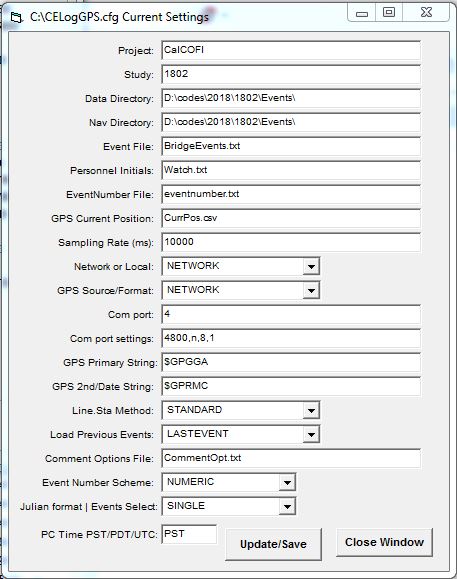
CELogGPS: Cruise Event Log
There are two version of CELogGPS – the newest version of CELogGPS uses a touch-screen PC or tablet with very little (virtual) keyboard interaction and a plainer version which also requires little key-entry once configured. But the user-interface is not as graphical or touch-friendly. This web page describes the configuration and operation of the original…
-
Troubleshooting Guide
Basic Troubleshooting Guide for SIO-CalCOFI’s Program Network Connection to Network & Data Server Directories All SIO-CalCOFI programs are designed to be on a common network and the data server (\\seaserv2\data) drive mapped as Q: (or other available letter; set individual program cfg files to the chosen letter). If networking is unavailable, all programs can operate…
-
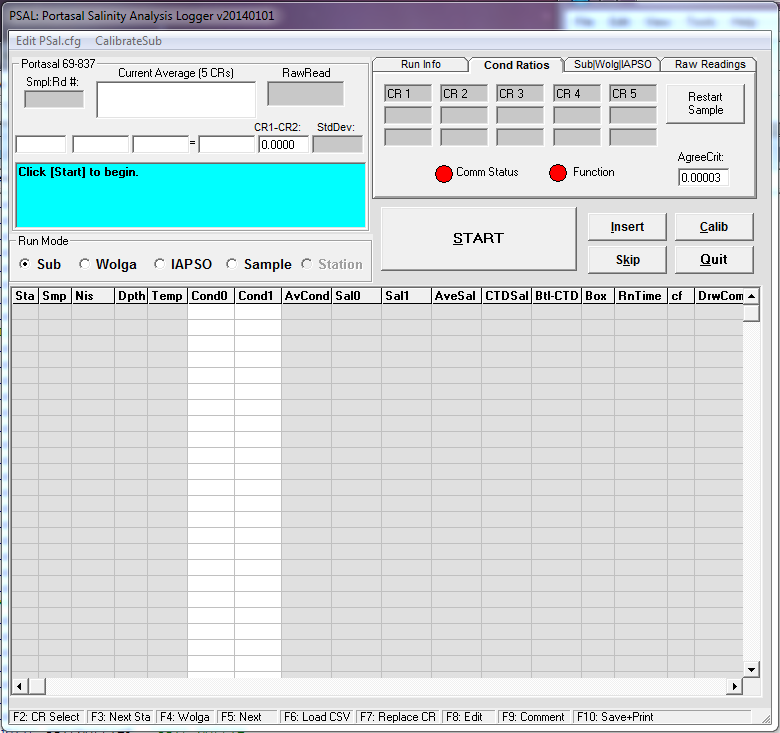
PSAL: Salinity Analysis Program
PSAL is a SIO-CalCOFI-authored salinity data acquisition program that interfaces with the Guildline Portasal. It can import salt sample base files generated for each station by CESL. A serial data link between the Portasal and data acquistion Windows PC allows PSal to record average conductivity readings, calculate salinities then compare them to CTD salinities. BASICS…
-
At-Sea Data Network
CalCOFI Shipboard Software And Data Network 2014 CalCOFI’s data network has become a key component to data collection & analysis at-sea. Using several CalCOFI-develop software and third-party programs, all computer systems interact with the CalCOFI data network server (currently SeaServ2) so network connectivity on all data collection & analysis workstations is highly desirable. Standalone…
-
VB Drive Mapping in Windows 7
Some Programs Cannot Access Network Locations When UAC Is Enabled Source URL: http://technet.microsoft.com/en-us/library/ee844140%28v=ws.10%29.aspx Updated: November 16, 2009 Applies To: Windows 7 & Windows Server 2008 R2 Symptom SIO-CalCOFI Visual Basic Windows programs reading or writing files to a network, mapped (to a letter) drive may display a “network not found” error. This prevents the program…
-
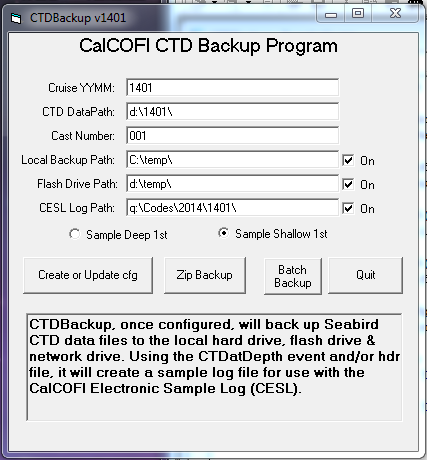
CTDBackup: Backup CTD Cast Files
CTDBackup is a SIO-CALCOFI developed CTD cast file auto-backup utility. The CTDBackup icon on the Windows desktop is mapped to the hot-key combination <Ctrl><Alt> B. This key combination is pressed immediately upon completion of a CTD cast, once Seasoft data acquisition is stopped. CTDBackup zips all the cast files (.hex, .hdr, .mrk, .xmlcon, .nav, .bl)…
-

CESL: CalCOFI Electronic Sample Log
CESL (pronounced Cecil, after the sea-sick sea serpent cartoon character ) is CalCOFI’s Electronic Sample Log, which replaces the traditional clipboard and sample log form. BASICS CESL auto-loads the bottle depth information from a base file created by the CTDBackup program from the CTD cast files. CTDBackup uses the .mrk & .hdr files plus CTDATDEPTH…
-
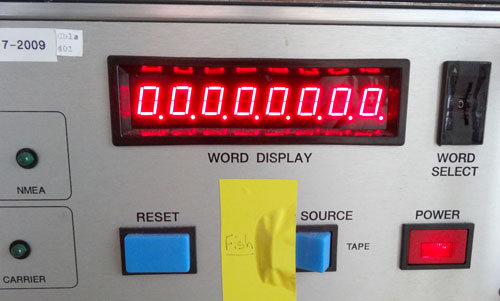
CTD Setup & Diagnostics
Seabird CTD-Carousel Setup & Deck Unit Diagnostics SIO-CalCOFI’s method of terminating the sea cable uses a custom 4-pin pigtail to terminate a multi-strand conductive wire that allows each individual conductor to be used in any combination. Terminating the sea cable using this technique may be viewed in the CalCOFI Handbook: CTD Termination. Conventional two-pin Seabird…
-
Database Tables
Station_ID (Station ID & Desired Position) ID Autonumbered Long Integer Sta_ID LineSta Text Line CalCOFI Line Text Sta CalCOFI Station Integer DLat_Dec Desired Position Decimal Latitude Single DLat_Deg Desired Position Lat Degrees Integer DLat_Min Desired Position Lat Minutes Single DLat_Hem Desired Position Lat Hemisphere Text DLon_Dec Desired Position Decimal Longitude Single DLon_Deg Desired Position…
-
Distance From Shore
Distance = Distance from shore in nautical miles. The CalCOFI database includes a calculated distance-from-shore value used primarily for vertical section plots published in the hydrographic data reports. CalCOFI line coastline intercepts, digitized from Google maps, are tabulated below; the latitudes and longitudes are the origins (zero starting point) for vertical section plots. Line Sta (if…